
RC IT Services, Partnered with Sendmarc brings you :
DMARC - Domain-based Message Authentication, Reporting & Conformance
Domain-based Message Authentication, Reporting & Conformance (DMARC) is a powerful email security protocol that helps protect your domain from email spoofing and phishing attacks. It works alongside existing technologies like SPF and DKIM to verify that incoming messages are truly from you—and not someone impersonating your domain.
By implementing DMARC, domain owners gain control over which messages are accepted, rejected, or flagged, and receive detailed reports showing who is attempting to send emails using their domain.
Key Benefits:
- Prevents fraudulent use of your email domain
- Enhances trust and deliverability of your emails
- Gives visibility into email authentication and usage
- Reduces the risk of phishing, spam, and malware
How Dmarc Works
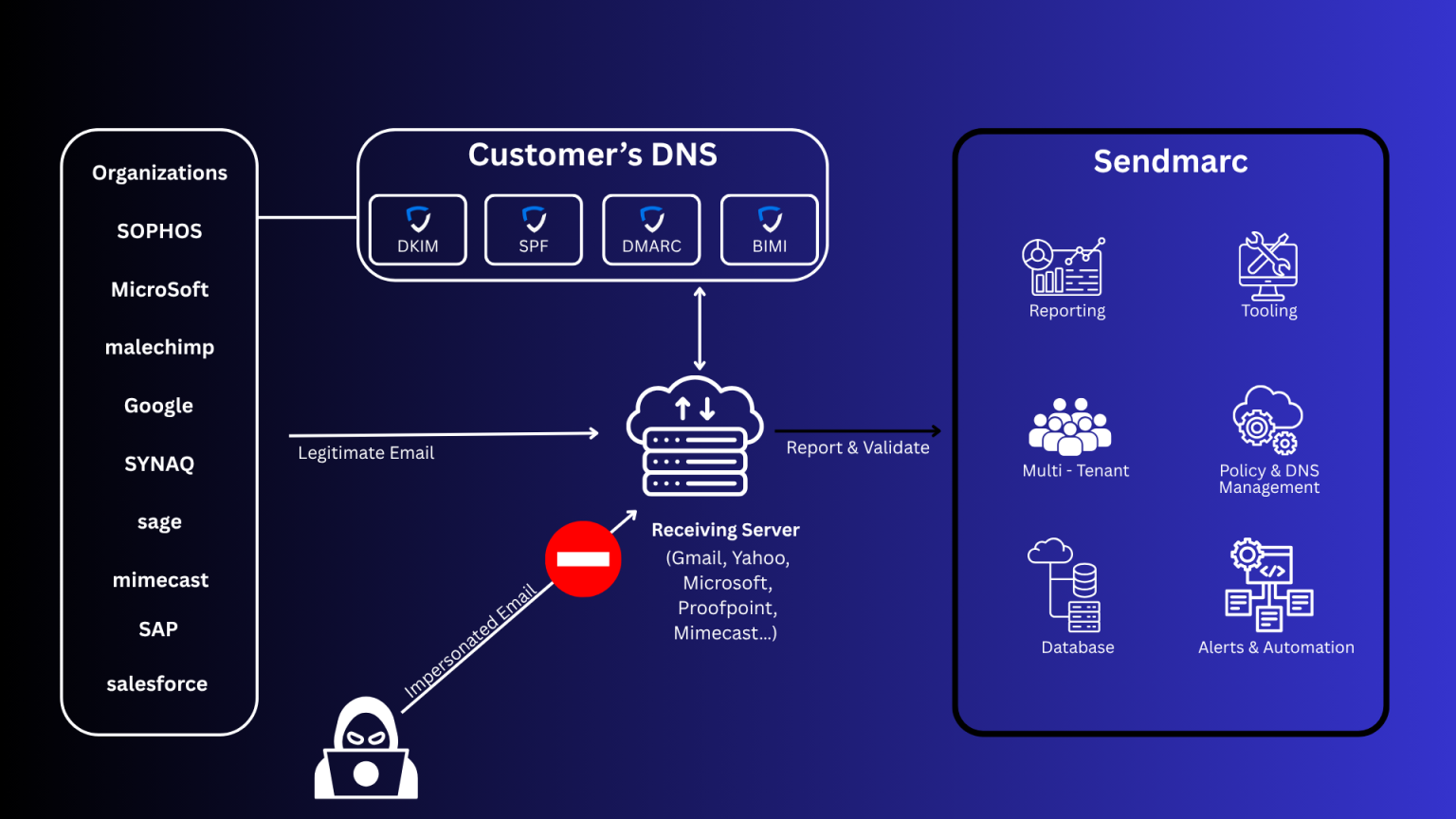
DMARC adds a special record to your domain’s DNS. When an email is received, the system checks if it aligns with your DMARC, SPF, and DKIM policies. If not, it takes the action you’ve specified—such as blocking or quarantining the message.
We simplify the complexity of DMARC adoption with a fully managed implementation, ensuring fast, secure, and scalable email authentication that protects your brand and stakeholders.
Email security
- Email authentication
- Policy enforcement
- Reporting
- Visibility
Email deliverability
- Brand protection
- Marketing performance
- Savings
- Customer experience
Important to Know:
While DMARC is an essential part of email security, it’s not a catch-all solution. It doesn’t encrypt email content, and it depends on correct implementation of SPF/DKIM. Full protection also requires adoption by both senders and receivers.
SPF
- Prevents unauthorized senders
- Checks IP addresses
- Simple yet essential tool
DKIM
- Verifies integrity
- Prevents ‘MITM’ attacks
- Works closely with SPF
DMARC
- Eliminates spoofing
- Enforces policy globally
- Provides reporting & insights
Making Your Email Safer: Understanding DMARC, SPF & DKIM Alignment
Think of it like matching ID cards:
Your email says it’s from your business (like info@yourcompany.com).
The mail server (computer sending it) and the digital signature (kind of like a stamp of approval) also need to say it’s from yourcompany.com.
If everything matches, your email is trusted.
If something doesn’t match, the message might be rejected or marked as spam.
Types of Alignment
DMARC Alignment
DMARC checks whether SPF and/or DKIM are aligned with the domain in the “From” header. You can choose between:
- Strict alignment: Domains must be an exact match.
- Relaxed alignment (default): Subdomains are accepted if they share the same organizational domain.
SPF Alignment
SPF checks the domain of the sending mail server against the “From” address.
- Strict = Exact domain match
- Relaxed = Accepts matching subdomains
DKIM Alignment
DKIM checks the domain that signed the message with the one in the “From” address.
- Strict = Exact domain match
- Relaxed = Accepts matching subdomains
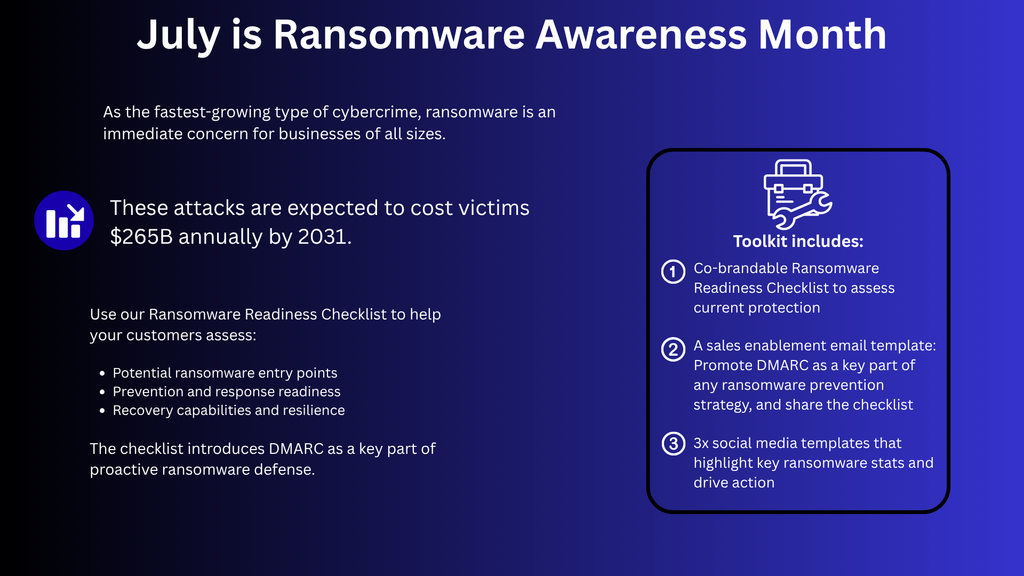
Why Does It Matter?
- Keeps scammers from pretending to be you
- Helps your emails land in inboxes—not spam folders
- Builds trust with your customers
- Protects your brand reputation
We Make It Simple
Email security doesn’t have to be complicated. We take care of the technical stuff—setting up DMARC, SPF, DKIM, and making sure everything aligns properly. You get peace of mind knowing your emails are safe, secure, and reaching the right people.
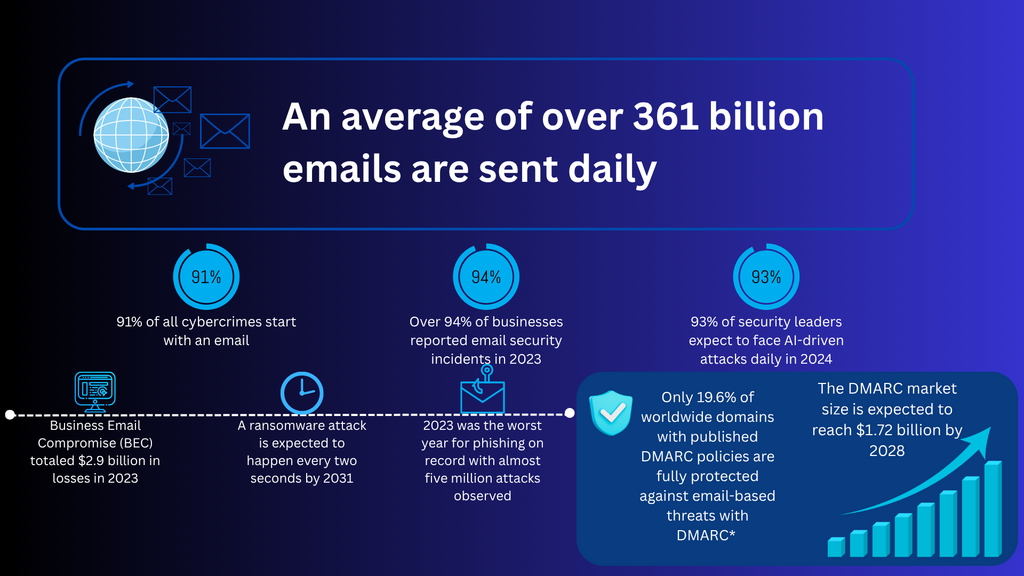
Check Your Score Today !!!